
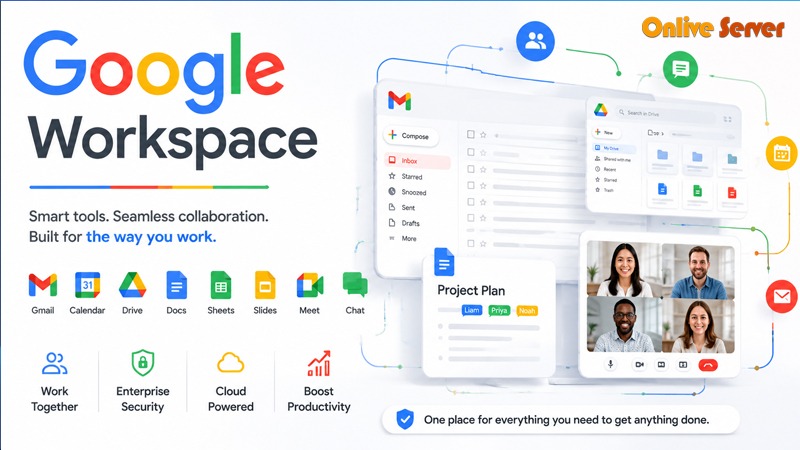
Introduction
Understanding the intricacies of Google Workspace pricing can be like solving a confusing puzzle. These plans come with different features, storage options, and collaboration capabilities, and can have a significant budgetary impact on your business. Some people believe it is simply about choosing the lowest price, but this can result in an unmatched need and capacity. Then picture having to pay for features that you never use, or for storage fees when you get caught off-guard.
Knowing what is essential in your operations, and not spending more than necessary on frivolous extras. With OnliveServer, you’ll have the information you need to make smart choices and ensure your investment in Google Workspace is smart and budget-friendly. Stay tuned and demystify the pricing models and understand how to maximize your investment.
Decoding Google Workspace Plans
Choosing the right Google Workspace Pricing plan can be daunting, but a structured approach makes it manageable. First, understanding the essential components of each plan is crucial.
The Basic Tier
The Basic plan offers essential tools like Gmail, Calendar, and Drive. It’s perfect for small teams starting out.
- Storage: 30 GB per user
- Meetings: Maximum 100 participants
- Security: Standard controls and protection
The Business Tier
For those needing expanded features, the Business plan adds more capabilities.
- Storage: Unlimited with 5+ users
- Meetings: Up to 150 participants
- Advanced Security: Two-step verification and more
Enterprise Options
Ideal for large enterprises, these plans provide extensive control and customization.
- Custom Storage: As needed
- Meetings: Up to 250 participants
- Security: Advanced protection and reporting tools
Evaluate your needs based on these features to select the appropriate plan. Remember, each tier enhances productivity differently, so match them with your specific requirements.
Evaluating Hidden Costs in Google Workspace
While Google’s pricing page provides a basic overview, hidden costs can surprise the unwary. Consider detailed evaluation beyond upfront costs.
Storage Overages
Exceeding storage limits incurs additional fees, often overlooked during initial planning.
- Solution: Estimate storage needs accurately
- Backup Plan: Have a scalable storage strategy
Add-On Features
Certain advanced features or integrations may require extra purchases.
- G Suite Marketplace: Offers extensive but costly options
- Third-party Integrations: Can incur additional fees
Compliance and Security Tools
For businesses in sensitive industries, extra compliance tools may be necessary.
- Regulatory Services: Often require premium subscriptions
- Security Enhancements: Additional costs for advanced protection
These elements require careful consideration. Make sure to calculate these into your overall budget to prevent any unexpected financial burden.

Strategically Leveraging Google Workspace Features
Maximizing the value of your Google Workspace subscription requires strategic use of its features. Let’s look at some key areas.
Collaboration Tools
Exploiting collaboration features can significantly boost productivity.
- Shared Drives: Facilitate organized and accessible team environments
- Google Meet: Streamline communications with seamless video calls
Automation and Integration
Automate processes to save time and reduce manual workloads.
- Google Scripts: Automate repetitive tasks
- Integration: Sync with tools like Slack or Trello for seamless workflow
Security and Compliance
Use built-in security features to protect data and ensure compliance.
- Two-Factor Authentication: Enhances account security
- Data Loss Prevention: Critical for industries handling sensitive information
A strategic approach ensures that the capabilities of Google Workspace are fully used, enhancing productivity and mitigating risks.
Evaluating Google Workspace Plans
Determining the right Google Workspace plan isn’t straightforward. It requires analyzing your business needs carefully.
Business Starter Plan
The Business Starter Plan is tailored for smaller teams.
- Cost: $6/user/month
- Storage: 30GB per user
- Best for: Email-centric operations and basic collaboration needs
Business Standard Plan
For medium-sized teams, the Business Standard Plan offers a balance of cost and features.
- Cost: $12/user/month
- Storage: 2TB per user
- Inclusions: Video meetings up to 150 participants

Business Plus Plan
Large teams may find the Business Plus Plan appealing.
- Cost: $18/user/month
- Storage: 5TB per user
- Extras: Advanced security and management controls
Each plan suits different organizational needs, from startups looking for basic tools to large companies requiring extensive security and storage. Analyze your growth trajectory and current requirements to select the most fitting option.
Hidden Costs and Considerations
Google Workspace pricing goes beyond the monthly per-user cost. Unexpected expenses can arise.
Storage Overages
Exceeding storage limits can be costly. Additional storage often comes at premium rates, making it crucial to estimate needs accurately.
Integration Fees
Consider potential costs for third-party integrations. Some tools may require additional licenses or subscriptions.
Add-Ons
Extra enhancements, such as Google Voice or data analytics may not be part of your initial plan, resulting in extra costs. Knowing these hidden costs allows businesses to make better budgeting decisions and prevent any surprises. The main thing is transparency and alignment of technology with the strategic goals.
Comparing Google Workspace with Alternatives
To ensure you’re getting the best value, compare Google Workspace with other productivity suites.
Microsoft 365
- Strengths: Seamless integration with Windows OS, detailed desktop apps.
- Weaknesses: Higher complexity in setup.
Zoho Workplace
- Strengths: Budget-friendly options, integrated CRM tools.
- Weaknesses: Limited advanced features compared to Google.
Self-Hosting Options
- Strengths: Complete control over data, customizable.
- Weaknesses: Requires IT infrastructure and expertise.
Each alternative offers unique benefits and drawbacks. Weighing these against Google Workspace will help you determine which solution aligns best with your business needs and budget.
Frequently Asked Questions

Conclusion
In conclusion, understanding the pricing of Google Workspace can be a complex process, and it is important to take the time to consider your business needs before making a decision. Unexpected charges such as storage overages and integration fees can blow budgets if not accounted for. When comparing plans with other providers, it’s important to consider the features each one offers to make sure they are appropriate for your business goals. OnliveServer provides both guidance and expertise to make your decision making process easier and you choose the best plan for optimum performance and cost.